Retail shops
Retail employee scheduling that keeps the register covered
Build the retail week from current answers, not last semester's availability sheet. Part-timers tap one private link, and Schedule's Up helps you cover opens, closes, keyholders, and the weekend rush.
14-day full-access trial. No credit card required.
Add a payment method at any point during the trial to continue after day 14. Without a payment method, your workspace becomes read-only at day 14. Your data is preserved for 30 days so you can reactivate.
See the real workflow
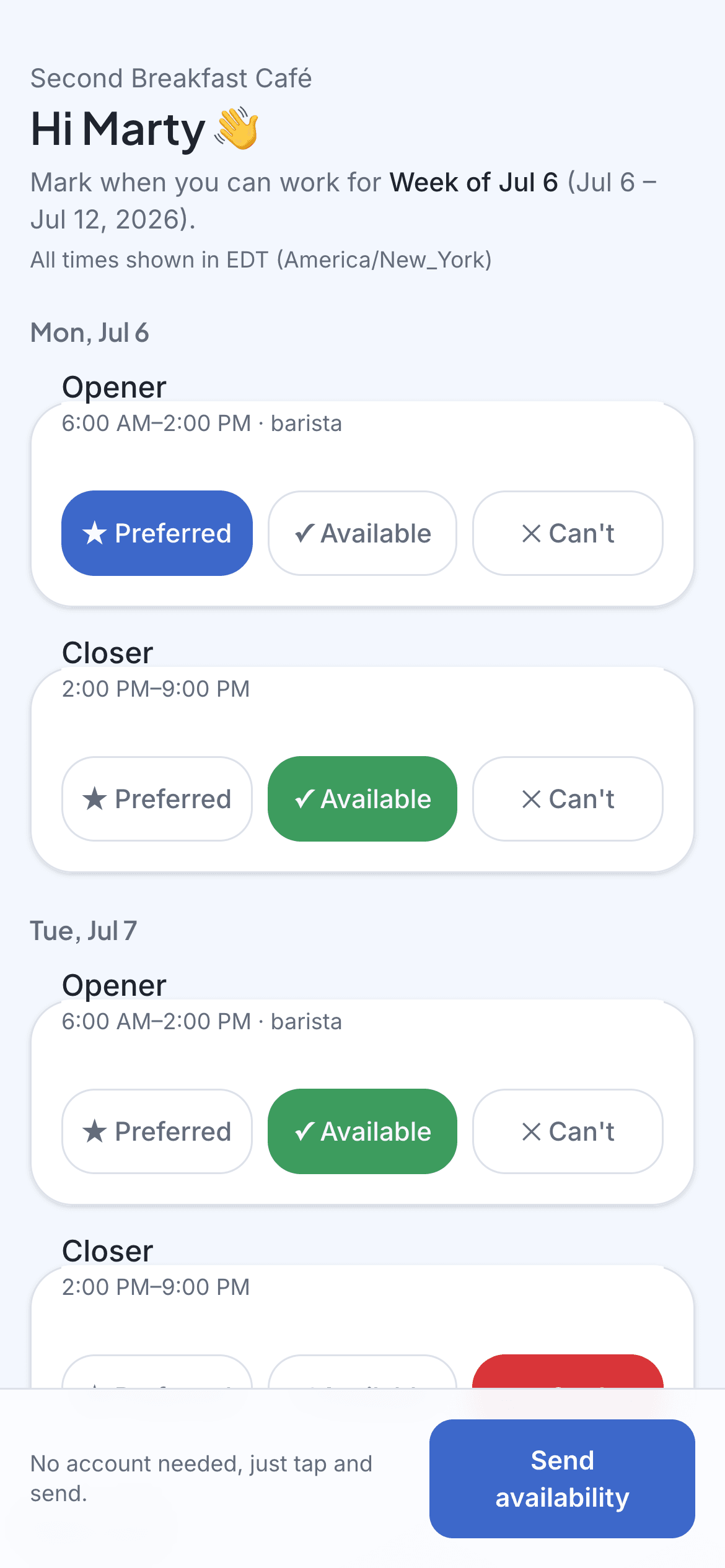
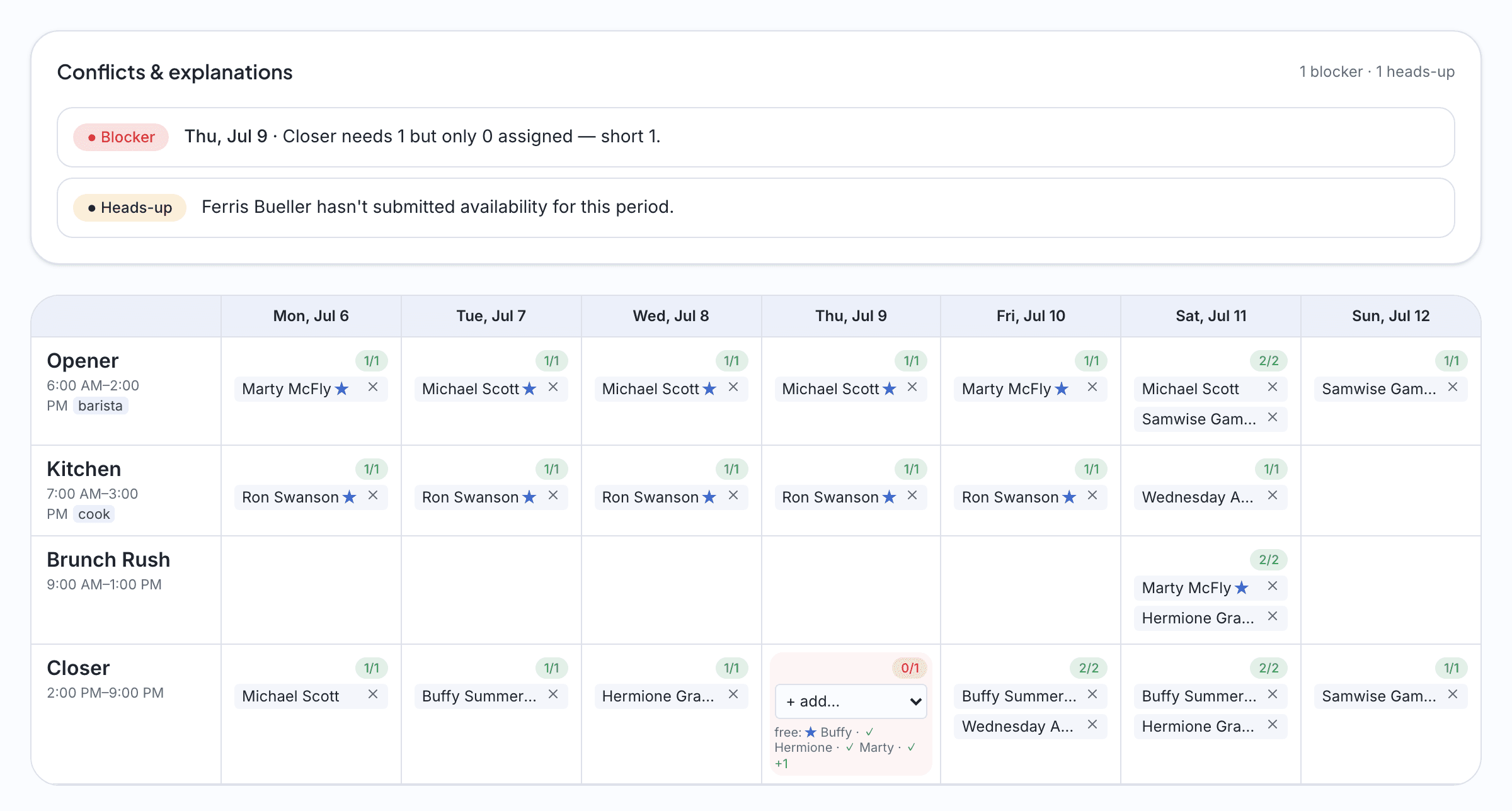
The employee answers on their phone. You see the draft and its conflicts before you publish.
These screenshots use the fictional Second Breakfast Café demo workspace.
Sound familiar?
Part-timer availability never stops changing
Class schedules flip every semester and second jobs come and go. The availability sheet from January is fiction by March, and what you need is this week's answer.
Opens and closes are not interchangeable
Somebody has to have keys at 8am and somebody has to count the drawer at 9pm. A schedule that fills hours without covering the bookends isn't a schedule.
Saturday needs three, Tuesday needs one
Foot traffic isn't flat, so coverage shouldn't be either. Set what each shift actually needs and let the draft flag where the weekend is thin.
Posting it in the break room isn't distribution
Staff need this week's schedule on their phone, and the updated one when it changes, without installing or logging into anything.
How it works
Lay out the store's week
Opens, mids, closes, and the Saturday all-hands. Set how many people each shift needs, save the pattern as a template, and reuse it every week.
Send one link per employee
Every part-timer gets a private availability link by text or email. They tap what they can work around classes and second jobs. No account, no password, no app.
Draft, fix, publish
One click builds the week against your coverage and shows its work: who'd be doubled up, where Saturday is short. Adjust, publish, and the schedule lands on every phone.
Imagine this
A week at a neighborhood shop
Imagine a neighborhood gift shop with nine employees, including two keyholders and several students whose hours move with their classes. In this example, the manager sends availability links on Wednesday and reviews the answers before drafting Thursday's schedule. If neither keyholder can close Friday, the uncovered role is visible while there is still time to adjust the week.
The questions we hear
- Can students update their availability when class schedules change?
- Yes. Each week's availability request reflects that week, so when a new semester lands, staff just answer the next link with their new reality. There's no stale master spreadsheet to maintain.
- Can I make sure a keyholder is on every open and close?
- Set roles on your staff and require them per shift, like one keyholder on every open and close. The draft flags any shift where that coverage is missing.
- How do employees see the published schedule?
- Everyone gets their own schedule link by text or email when you publish. It always shows the current week, and you can print a copy for the back room too.
Get this week sorted in an afternoon.
Start free trial14-day full-access trial. No credit card required.
No app for your staff. Just a link.